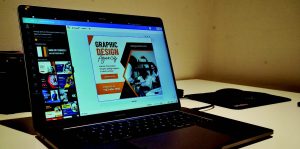
 Graphic design platforms have proven to be a double-edged sword. On the one hand, they have opened the possibility of creativity to those who have no previous association with it, but on the other, it can have drastic consequences on the overall quality of a product, especially after being printed.
With all the discussion of AI, automation, and intelligent software being implemented across all parts of the industry, is it beneficial to be looking at such software?
Canva is arguably the most well-known platform, with its popularity growing in recent years.
Its user-friendly interface and intuitive design tools enable users to create visually appealing graphics, making even the most inexperienced of designers feel like they are becoming a digital equivalent of Banksy.
There are countless pre-designed templates and an extensive design element library, making it excel in creating social media graphics, presentations, posters, and other visually appealing content that can be quickly produced and put to work right away.
I’m now a designer
Essentially, it has given the average Joe the belief that they are now a designer. It gives them the tools to think they could match the skills and work of professionals who have spent years perfecting their craft.
Several PSPs highlighted in their responses to the most recent Widthwise Survey that they have noticed an increase in customers approaching them with logos and artwork they have designed in Canva.
Often, they present their imagery with pride, having made something for their business, however, these are often poorly laid out, low-res files, with minimal creative flair or originality.
These designs put the printers in a bit of an awkward position. Although the client appears happy with their work, ultimately, it’s the resulting print that is seen in public, putting a printer’s reputation on the line, and it is they who take the hit when a wonky logo or a low-res image is spotted on the side of a van.
Clients can be shown how to provide a print-ready file with crops and bleed, but these extra steps lengthen the design time and create extra back-and-forth for businesses, and may incur extra design charges.
Copyright issues
Canva’s library of pre-designed templates means designs can be easily replicated by another user.
A business owner could create a logo and use it on business cards, window graphics, uniforms etc. – and then a business a few doors down could take the same template in Canva, tweak it slightly in terms of colour or font and there would be nothing the first business could do to argue against this.
In graphic design, copyright typically belongs to the creator, unless they are an employee working within a company, in which case the employer owns the copyright.
With nothing stopping other wannabe designers from using the same template, it is worth familiarising yourself with the software to see what other ways you could create something more unique, but that takes time and time you could have kept if a graphic designer had been originally hired.
In reality, Canva’s position in the market is for the beginner; the upstart looking for the perfect tool to dip their toe into when creating logo ideas or a basic social media campaign. For more complex or high-resolution wide-format prints, software such as Adobe is a better option for ensuring high-quality output.
Ultimately, it boils down to the fact that you can’t replace a professionally trained graphic designer working with appropriate design programme tools, but how do you hire the right one? If only you had a design software to help create your advert.